AcroForm SDK for React
Turn a flat PDF into a fillable form, edit existing fields, prefill values from your data, and save a standard AcroForm PDF, entirely in the browser.
Works with vanilla JavaScript and most popular frameworks








Build a PDF form editor under your UI
The SDK gives you the field types, data hooks, and authoring controls for a fillable PDF form editor.
Fill existing AcroForms
Text fields, dropdowns, list boxes, checkboxes, and radio buttons render as live controls inside the PDF. Use the viewer preset to keep page content locked while the form stays interactive.
- Viewport
- CONTENT_POLICY_PRESET.PDF_VIEWER
Add fields to any PDF
Arm the addWidget tool and let the next page click place a field, or create fields directly from coordinates and a page ID. Each field becomes a real PDF widget when the document is saved.
- useSetInteractionMode()
- useWidgetsCreate()
Text, choice, and button fields
Create single-line or multiline text, dropdown and list fields, multi-select lists, checkboxes, radio groups, and push-button widgets. Dates and times use standard formatted text fields.
- useWidgetsCreate()
- FormatType.DateTime
Read the form as data
Read every stored value by field name. Each value follows the document as users fill the form, so your own view stays current. The PDF records stay behind a typed JavaScript API.
- useWidgets()
- useWidgetValue()
Prefill from your API
Map your application record to PDF field names and write each value into its field, typed like the matching HTML form control.
- useWidgets()
- useWidgetValue()
Edit field properties
Rename fields, resize them, change choices, make a field read-only, and control borders, fill, font size, and alignment. Widgets with the same field name share one value.
- useSetWidgetProps()
- useWidgetsGetter()
Separate builder and filler roles
PDF_EDITOR lets authors place and edit fields. PDF_VIEWER locks the document content while keeping fields fillable. Switch the role at runtime without loading a second document.
- CONTENT_POLICY_PRESET
- useSetInteractionMode()
Save a real fillable PDF
Serialize the updated AcroForm and its values into PDF bytes in the tab, then download them or send them through your own upload path.
- useDocumentSaving()
From a flat PDF to a fillable PDF form
Render the file, place real fields, then switch from authoring to filling and save the result.
Load the PDF into your React layout
PdfProviders supplies the document context and Viewport renders the pages with their AcroForm fields. Nothing imposes an application toolbar or sidebar; those stay in your components.
import { useEffect } from 'react';
import { PdfProviders, Viewport, useLoadPdf } from '@sdk-pdf/react';
import '@sdk-pdf/react/style.css';

type Props = { file: Uint8Array };

function FormEditor({ file }: Props) {
  const [state, loadPdf] = useLoadPdf();

  useEffect(() => {
    void loadPdf(file);
  }, [file, loadPdf]);

  if (state.status !== 'ready') return null;

  return (
    <div style={{ height: '100vh' }}>
      <Viewport />
    </div>
  );
}

export function App({ file }: Props) {
  return (
    <PdfProviders>
      <FormEditor file={file} />
    </PdfProviders>
  );
}
Read and prefill PDF form data from your own code
Field names link the PDF to your data model. Enumerate widgets for layout and metadata, then read and write PDF form data by field name. Each value follows the document as users fill the form.
import {
  useWidgets,
  useWidgetValue,
  type CheckboxWidget,
  type TextWidget,
} from '@sdk-pdf/react';

function Value({ widget }: { widget: TextWidget | CheckboxWidget }) {
  const [value] = useWidgetValue(widget);
  return (
    <li>
      {widget.fieldName}: {String(value)}
    </li>
  );
}

export function FormData() {
  const { widgets, isLoaded } = useWidgets();
  if (!isLoaded) return <p>Loading the form…</p>;

  return (
    <ul>
      {widgets.map(
        (widget) =>
          (widget.widgetType === 'text' ||
            widget.widgetType === 'checkbox') && (
            <Value key={widget.id} widget={widget} />
          ),
      )}
    </ul>
  );
}
A PDF form SDK that runs entirely in the browser
Render interactive PDF forms, let users fill the form fields, and save a fillable PDF without a server round trip. Your app owns the toolbar, validation, backend, and submit workflow.
'use client';
import dynamic from 'next/dynamic';

const FormEditor = dynamic(() => import('./form-editor'), { ssr: false });

export default function Page() {
  return <FormEditor />;
}- Framework
- React 19, with react and react-dom as peer dependencies
- Module format
- ESM only; use a bundler (Vite, Next.js, or equivalent)
- Runtime
- Browser only. In Next.js, use a client component with ssr: false
- Bundle
- 277 KB gzipped; CJK character maps are code-split and lazy
- Assets to host
- None. Everything the engine needs is in the module graph
- Bundler
- Alias the unused canvas require once (see config snippets)
- Strict Mode
- Off for now. The simulated unmount kills the engine
- Encrypted files
- Pass { password } to loadPdf. RC4, AES-128, and AES-256
- Form model
- AcroForm. XFA is not supported
- File format
- PDF only
PDFSDK vs other libraries
Some libraries render AcroForms and others modify their objects. PDFSDK combines the form UI, field-authoring API, data hooks, and PDF saving in one React engine.
| Library | Fill AcroForms | Create fields | Form data API | Viewer included | UI |
|---|---|---|---|---|---|
| Yes | Yes | Yes | Yes | Headless, yours | |
| pdf-lib | Programmatic | Yes | Yes | No | None |
| PDF.js | In its viewer | No form-builder API | Low-level only | Yes | Viewer |
| @react-pdf/renderer | No existing PDFs | No | No | No | React document primitives |
Build the rest of the document workflow
React PDF Viewer
Render the same document with navigation, links, and interactive fields under your own viewer UI.
Explore the viewerReact PDF Editor
Edit paragraph text, place images, and organize pages alongside the form fields.
Explore PDF editingPlayground
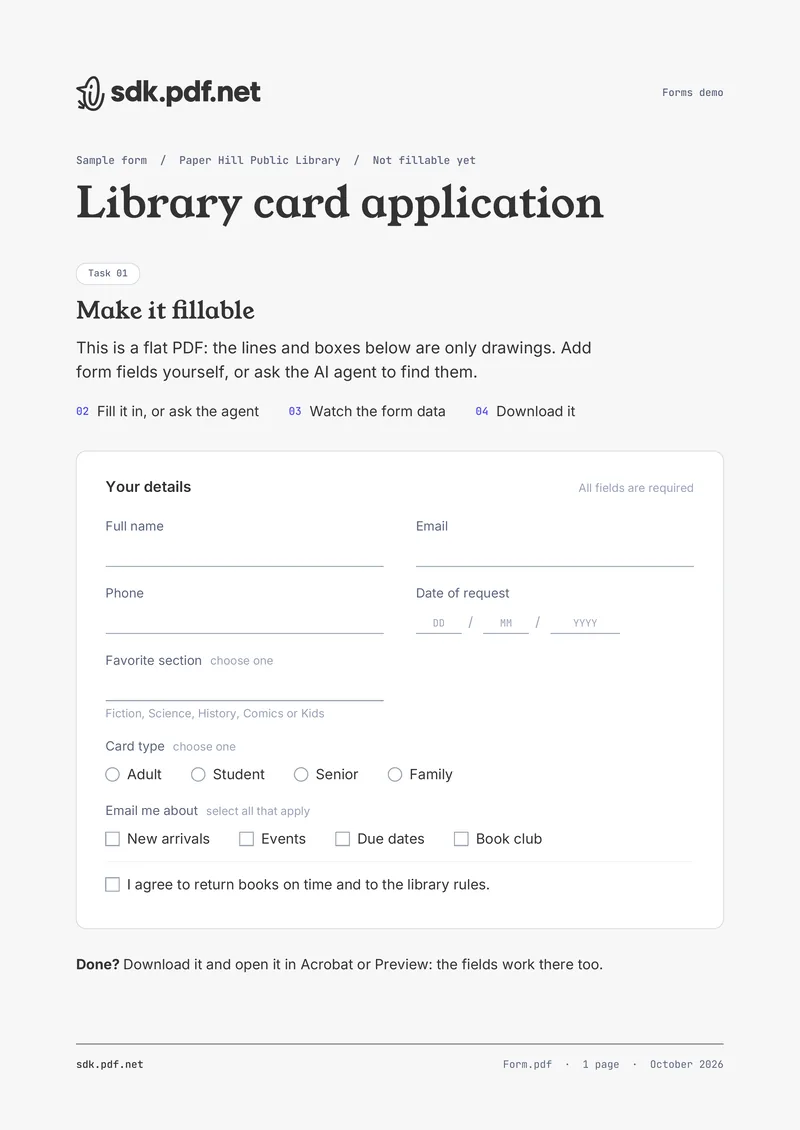
Make a flat form fillable, fill it in by hand or with the AI agent, and download the AcroForm.
Open the playgroundQuestions engineers ask
AcroForm is the PDF-native model for interactive fields. An AcroForm PDF stores field definitions, values, and one or more page widgets inside the PDF itself, so text inputs, choices, checkboxes, and radio buttons travel with the file instead of living in a separate HTML overlay. There is also XFA, but this SDK does not support it.
Still have questions? Book 30 minutes
A short call with the engineering team and a straight answer instead of a pitch