React PDF editor with real text editing
Edit existing PDF text directly in your React app, with real text reflow and complete control over the editing experience.
Works with vanilla JavaScript and most popular frameworks








What you can build with our PDF editor for React
Every capability of this PDF editing SDK, paired with the hook behind it.
Edit text in place
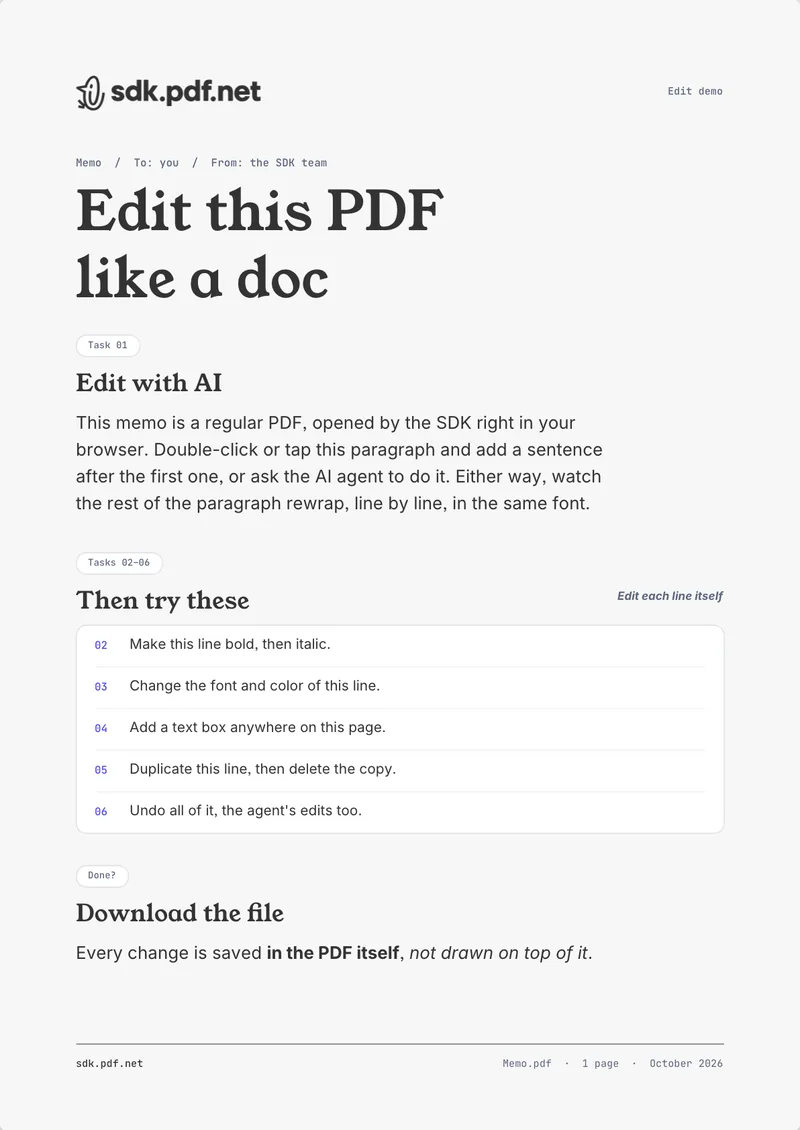
Double-click any paragraph to enter edit mode. Typing reflows the paragraph with the real font metrics; undo and redo are wired in.
- Viewport
- useUndoRedo()
Typography
Font size, family, bold, italic, sub- and superscript, alignment, colour, line height, letter spacing, and indent: one hook reads and sets all of it on the selection.
- useSelectionTextStyle()
Document fonts
The engine extracts the fonts embedded in the PDF and offers them back next to the standard set, so an edit can stay in the document’s own typeface.
- fontFamily.options.extracted
Add and move paragraphs
A click with the addText tool creates a paragraph at the cursor and focuses it. Paragraphs can be created, resized, and deleted from code as well.
- useParagraphCreate()
- useParagraphResize()
Place images
Stage an image once, then a click places it on a page. Placed images select, move, duplicate, and delete like any other block.
- stageImage()
- addImage tool
Organize pages
Create, duplicate, delete, reorder, and rotate pages. Canvas thumbnails come from the same renderer as the viewport; thumbnails that pick up edits are coming soon.
- usePageCreate()
- usePageMove()
- useSetPageRotation()
Read-only and print modes
Content policies switch the same document between editor, viewer, and printer behaviour at runtime, for each user, without remounting.
- CONTENT_POLICY_PRESET
- useSetInteractionMode()
Let a model edit the doc
Read every paragraph as text, send it to a model, and write accepted rewrites back through a headless paragraph editor. The edit reflows like the user typed it.
- useProgrammaticEditor()
Fill and build forms
AcroForm text, choice, checkbox, radio, and push-button fields: read, fill, and create. Covered on its own page.
- useWidgets()
- useWidgetValue()
Add a React PDF Editor to your app in 3 steps
Adding a PDF editor for React takes 3 files. This React PDF SDK ships the editing engine and a viewport.
Load bytes, render a viewport
PdfProviders wraps every SDK hook and component. Viewport is the scrollable, zoomable surface. With the default content policy, double-clicking a paragraph already edits it.
import { PdfProviders, Viewport, useLoadPdf } from '@sdk-pdf/react';
import '@sdk-pdf/react/style.css';

function Editor() {
  const [state, loadPdf] = useLoadPdf();

  if (state.status !== 'ready') {
    return (
      <input
        type="file"
        accept=".pdf"
        onChange={async (event) => {
          const file = event.target.files?.[0];
          if (!file) return;
          const bytes = await file.arrayBuffer();
          await loadPdf(new Uint8Array(bytes));
        }}
      />
    );
  }

  return <Viewport />;
}

export const App = () => (
  <PdfProviders>
    <Editor />
  </PdfProviders>
);
A headless PDF SDK for scripts, automation, and AI agents
You don’t need a UI to edit PDFs in React. The same engine runs headless. Stream the text out, rewrite paragraphs from code or from a model, and the edits reflow like typed text. A rewrite replaces the whole paragraph in the style of its first run.
const {
  getParagraphsByPage, // (pageId) => Promise<PlainTextParagraph[]>
  getAllParagraphIds, // () => Promise<string[]>
  getPlainTextParagraphs, // (ids) => Promise<PlainTextParagraph[]>
  getParagraphEditor, // (id) => EditorMirror | undefined
  setEditorAwarenessProperties, // ({ name, color }) => void
  removeEditorAwarenessCursor, // () => void
} = useProgrammaticEditor();

// PlainTextParagraph: ParagraphProps & { id, content, pageNumber, bounds }
A browser-based PDF editor that ships with your bundle
No server, no workers, no WASM binaries, no font files to host. One package, one stylesheet, one bundler alias. Because this browser PDF editor runs in the tab, document bytes never leave it.
'use client';
import dynamic from 'next/dynamic';

const Editor = dynamic(() => import('./editor'), { ssr: false });

export default function Page() {
  return <Editor />;
}- Framework
- React 19, with react and react-dom as peer dependencies
- Module format
- ESM only; use a bundler (Vite, Next.js, or equivalent)
- Runtime
- Browser only. In Next.js, use a client component with ssr: false
- Bundle
- 277 KB gzipped; CJK character maps are code-split and lazy
- Assets to host
- None. Everything the engine needs is in the module graph
- Bundler
- Alias the unused canvas require once (see config snippets)
- Strict Mode
- Off for now. The simulated unmount kills the engine
- Encrypted files
- Pass { password } to loadPdf. RC4, AES-128, and AES-256
PDFSDK vs other PDF libraries
Open-source libraries either render PDFs or write them. Editing existing text in the browser, with reflow, is the gap this PDF editing SDK fills.
| Library | Renders PDFs | Edits existing text | Fills forms | Saves a PDF | UI |
|---|---|---|---|---|---|
| Yes | Yes, with reflow | Yes | Yes | Headless, yours | |
| pdf.js | Yes | No | Yes | Forms only | Viewer |
| react-pdf | Yes, via pdf.js | No | No | No | Components |
| @react-pdf/renderer | No | No | No | New files only | React primitives |
| pdf-lib | No | No, draws over | Yes | Yes | None |
Where to go next
React PDF Viewer
The same engine in viewer mode: rendering, embedding, and customization, with editing one policy switch away.
Viewer pagePlayground
Every working flow in one place: text editing, forms, page management, and a model rewriting a document.
Open the playgroundQuestions engineers ask
Both, from one component. Viewport renders the document; the content policy decides what the user may touch. PDF_VIEWER shows a read-only document with clickable links and fillable forms, PDF_EDITOR turns editing on, and you can switch at runtime.
Still have questions? Book 30 minutes
A short call with the engineering team and a straight answer instead of a pitch